
Recover Deleted Messages
SwiftBiz AppsCommunication
2.8132.00 Reviews
- Version
- 5.6
- Installs
- 1.00M
- Age Rating
- Everyone
Screenshots
Our Review of Recover Deleted Messages
 Analysis by Appyee
Hey there! So, you know that heart-sinking moment when you accidentally delete a message you really needed? Yeah, we've all been there. That's why I was super curious to try out the Recover Deleted Messages app. Let's dive into what this app has to offer and see if it really lives up to the hype.
What Exactly is Recover Deleted Messages?
Okay, so first things first, Recover Deleted Messages is designed to do exactly what its name suggests. It's available on both Android and iOS, and promises to help you retrieve those messages you thought were lost forever. Whether it's a text from a friend, a work-related chat, or that sweet note you got from someone special, this app aims to bring them back to life.
Setting Up and Getting Started
Getting started with the app is pretty straightforward. After downloading and installing it, you’re greeted with a clean, user-friendly interface. I appreciated how the app didn’t bombard me with unnecessary ads or complicated instructions. Just a simple setup process and I was ready to go.
You’ll need to grant the app some permissions, which makes sense because it needs access to your messages to work its magic. Once that’s done, you’re all set to start recovering those deleted gems.
How Does It Work?
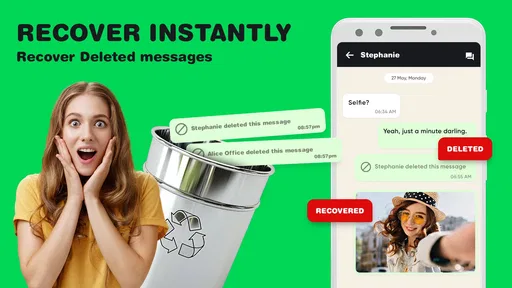
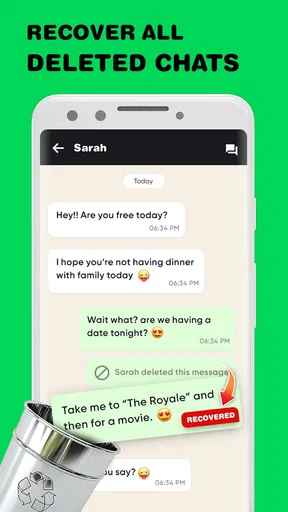
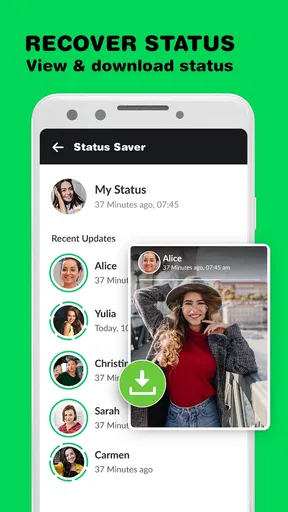
Here comes the interesting part—how does this little app actually work? Basically, it's like a detective rummaging through your phone’s data to find traces of deleted messages. It scans your device and can retrieve messages from various popular messaging apps like WhatsApp, Messenger, and more.
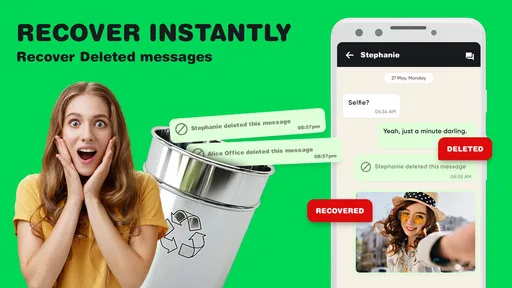
During my test run, I intentionally deleted a few messages to see if the app could recover them. After a quick scan, voila! The messages were back. The process was surprisingly fast, and I didn’t experience any lag or crashes, which is always a plus.
Features You’ll Love
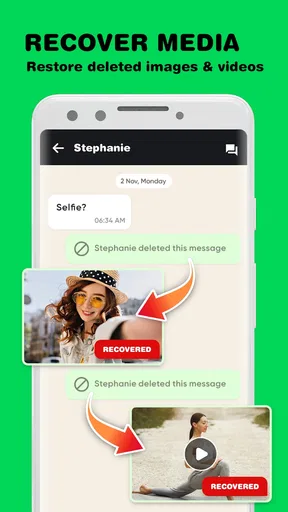
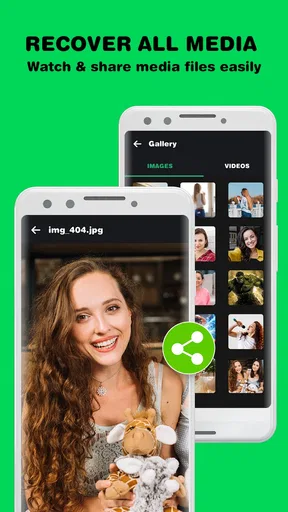
One of my favorite features is the app’s ability to recover not just text, but also media files like photos and videos. So, if you accidentally delete that adorable GIF or a precious photo, this app has got your back.
Another cool feature is the app's compatibility with cloud backups. If you’ve got your messages backed up on Google Drive or iCloud, the app can help retrieve those too. It’s like having a safety net for your data.
What’s Not So Great?
While I’m a fan of the app, there are a few things to keep in mind. For instance, recovering messages that were deleted a long time ago can be a bit tricky. The app works best for recent deletions, so it’s not a perfect solution for older data.
Also, some features are locked behind a paywall. While the free version does a decent job, you might need to upgrade for more advanced recovery options. Depending on how often you find yourself in need of message recovery, this could be worth it.
Final Thoughts
All in all, Recover Deleted Messages does what it promises, and it does it well. It's a handy tool to have if you're prone to accidental deletions or if you just want peace of mind knowing that your messages aren’t gone forever.
If you’re someone who values their messages and media files, I’d definitely recommend giving this app a try. It’s like having a little safety net on your phone. Just remember, while it can save the day for recent deletions, it’s not a time machine for older messages.
So, go ahead and check it out—your future self might just thank you for it!
Verdict
Strengths of Recover Deleted Messages
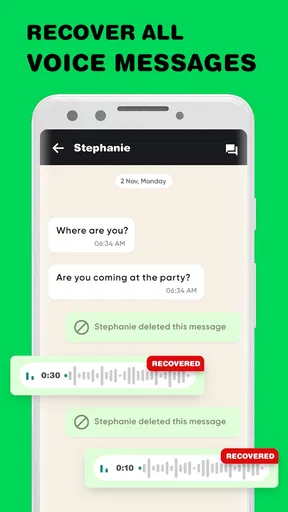
- Recovers various types of deleted messages.
- User-friendly interface for easy navigation.
- Supports multiple messaging platforms.
- Quick recovery process without delays.
- No need for technical expertise.
Limitations of Recover Deleted Messages
- Limited free version features.
- Requires internet for full functionality.
- May not recover all message types.
- Data privacy concerns for some users.
- Occasional app crashes reported.
Other Releases by SwiftBiz Apps
View All
Document Reader PDF Reader
Productivity3.1

SmartCast - USB Screen Share
Personalization0.0
Similar Picks in This Category
View All
Google Messages
Google LLC4.6

Gmail
Google LLC4.1

Google Meet
Google LLC4.4

Google Chrome
Google LLC4.1

WhatsApp Messenger
WhatsApp LLC4.6

Carrier Services
Google LLC4.2
Frequently Asked Questions
What is the primary function of the Recover Deleted Messages app?
The Recover Deleted Messages app is designed to help users retrieve messages that have been accidentally deleted from their messaging apps. It scans your device for any lost messages and allows you to recover them easily. This app is particularly useful for those who need to restore important conversations or data.
Is Recover Deleted Messages compatible with all messaging apps?
While Recover Deleted Messages supports a wide range of popular messaging apps, compatibility may vary depending on the specific app and device you are using. It is best to check the app's compatibility list or user reviews to ensure it works with your specific messaging application before downloading.
How secure is the Recover Deleted Messages app in terms of privacy?
The app prioritizes user privacy and does not store or share your data with third parties. It performs message recovery directly on your device, ensuring that your personal information remains safe and secure. Always read the app's privacy policy for more detailed information on data handling.
Does the app require a rooted device to function?
Recover Deleted Messages typically does not require a rooted device for basic message recovery. However, some advanced features might require root access to function optimally. Users should review the app's requirements and consider whether rooting is necessary for their specific needs.
Are there any costs associated with using Recover Deleted Messages?
While the app may offer a free version with basic functionality, some advanced features or ad-free experiences might require in-app purchases or a subscription. It's essential to review the app's pricing model to understand any potential costs involved before downloading.
